 Longview
Take the
long view.
Your weight moves from one day to the next with water, food and timing. Longview draws one steady line through your weigh-ins, so you can see which way things are heading instead of reacting to every morning on the scale.
Free, supported by ads. No account and no sign-up. Your weigh-ins stay on your device.
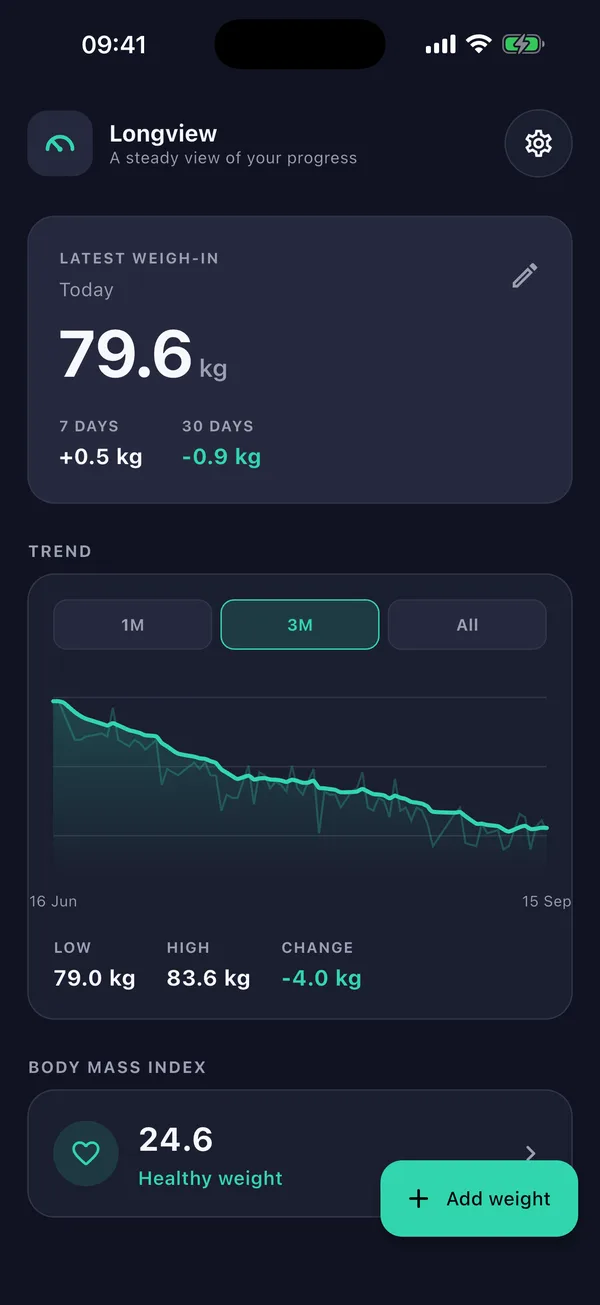
Scales are noisy. Trends are honest.
- A 7-day, time-weighted moving average. It is weighted by the days that actually passed, so a reading after a three-week break counts for more than one taken the next morning.
- Spaced by date, not by entry. Weigh in every day or once a fortnight; the slope stays honest either way.
- Nothing hidden. Your raw readings stay faintly underneath the line.
- Change that means something. 7-day and 30-day change on your latest weigh-in, rather than a jumpy comparison with yesterday.
Everything it needs. Nothing it doesn't.
Weigh in, in seconds
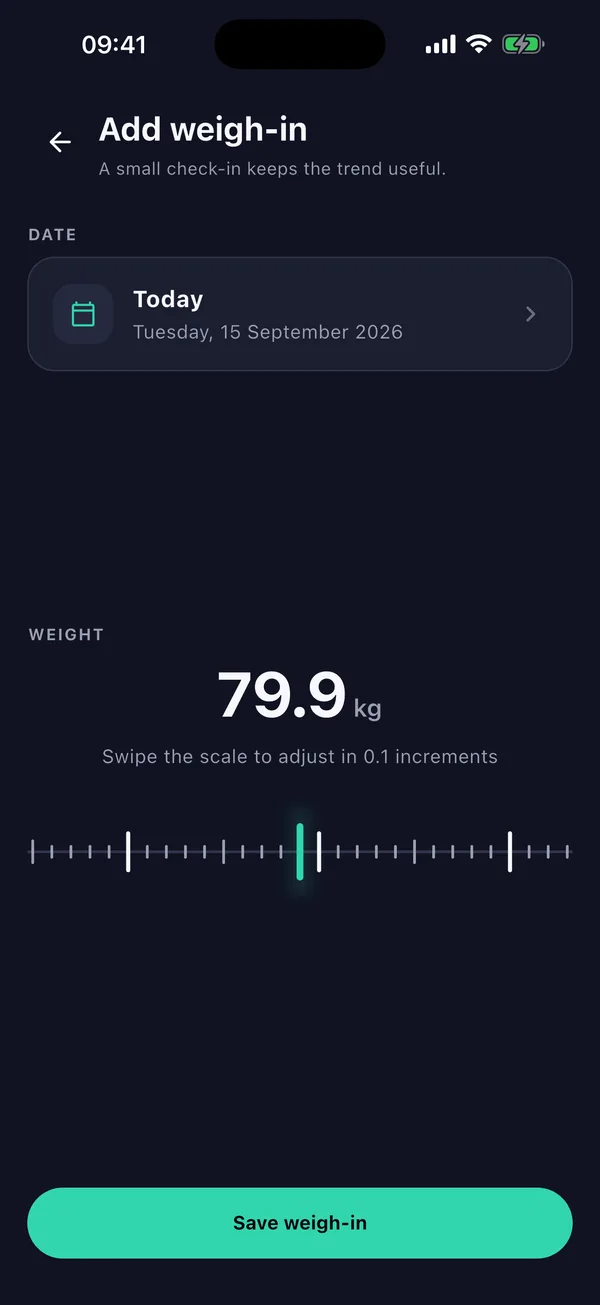
A swipeable scale that moves in 0.1 steps. Add a day you missed, correct an entry or remove one.
Ranges that fit your history
1M, 3M, 6M, 1Y and All, each appearing once your history can fill it, with the low, high and change for the range you're viewing.
BMI, with context
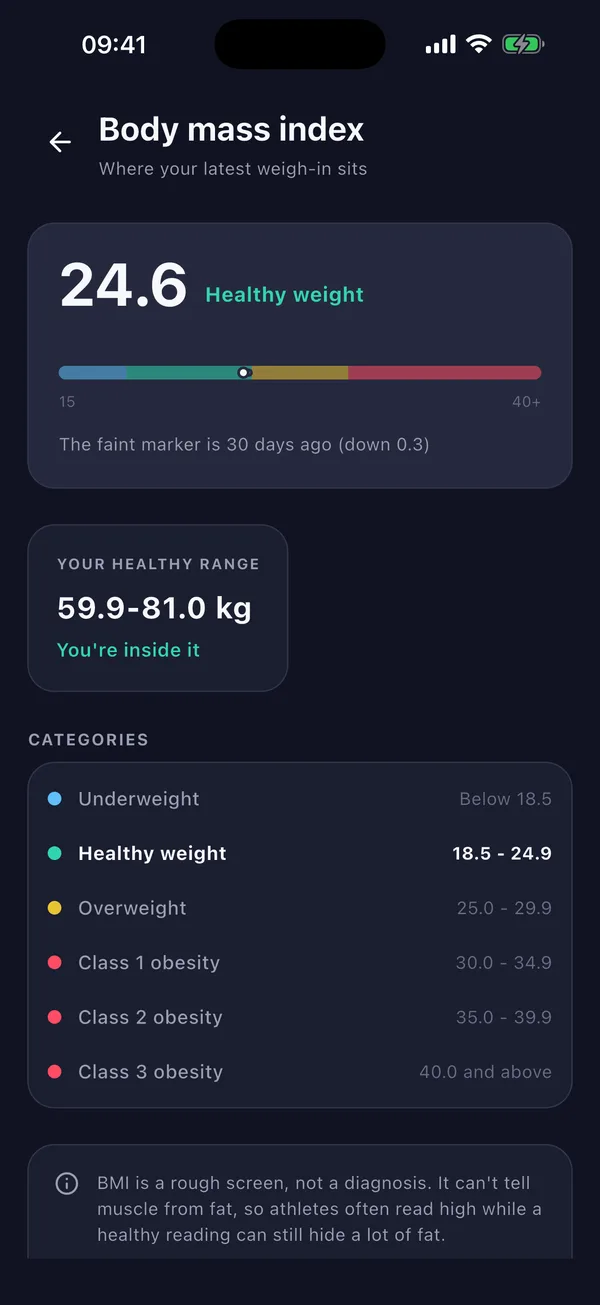
Your BMI on a colour-banded scale, a faint marker for where you were 30 days ago, and the weight range that matches a BMI of 18.5 to below 25 at your height.
A quiet daily reminder
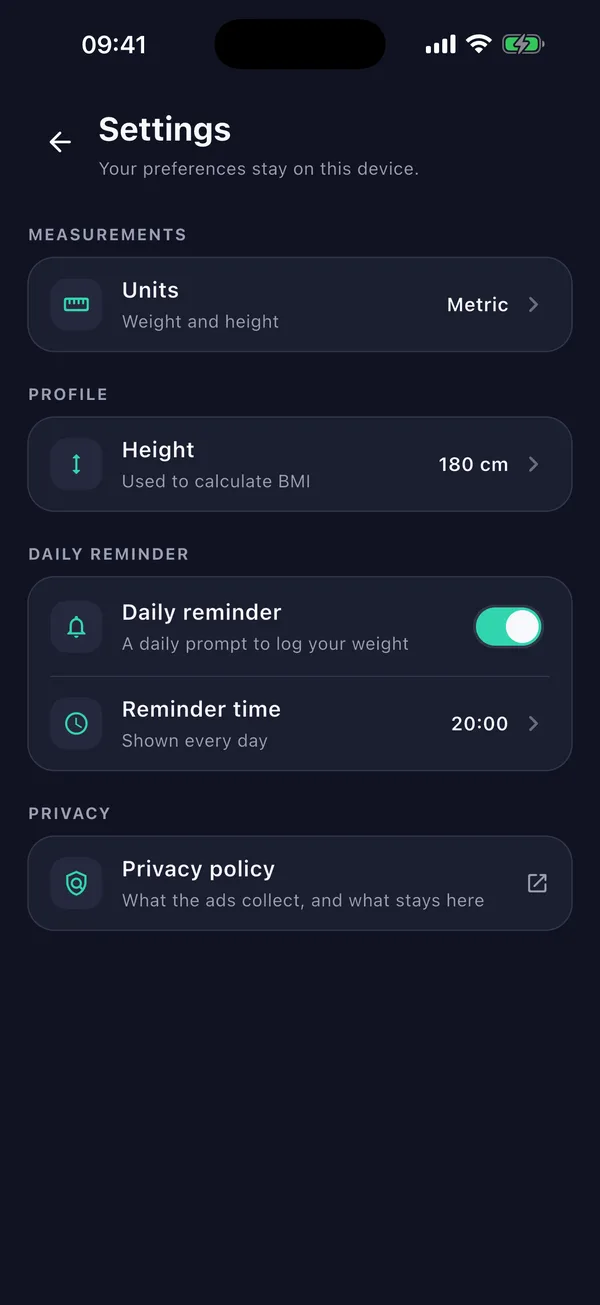
Optional, at a time you choose. Your phone schedules it, and tapping it opens today's weigh-in.
Metric or imperial
kg and cm, or lb, ft and in. Switching converts your saved history.
Calm on purpose
No streaks, no badges, no calorie counting and no goal to chase. A dark, quiet interface, your numbers and the line through them.
Your numbers, and the line through them.
Your weigh-ins stay with you.
No account
No sign-up and no sign-in. Open the app and start.
Stored on your device
Weigh-ins, height and settings are saved locally. Longview has no server or sync; your device backups may include this data.
Kept from advertisers
Longview never passes your weigh-ins, height or BMI to anyone, the ad network included.
Your choice on ads
Google's consent form appears where required. On iPhone and iPad, Longview also requests Apple's tracking permission where available. Declining does not limit any feature.
Change your mind
Revisit your ad choices in Settings → Privacy choices where available. On iPhone and iPad, change tracking in the device's privacy settings.
Leave nothing behind
Delete any entry in the app. Uninstalling Longview removes its data from your device.
The privacy policy explains what the ads software collects, how your entries are stored locally, and how device backups may include them.
Longview is free and supported by ads from Google AdMob, shown as a clearly labelled sponsored card on the home screen. There are no purchases and no subscription.
Ads depend on your consent choices and availability. Google's ads software collects device and usage information; Longview never includes your weigh-ins, height or BMI in ad requests. What Google collects
BMI is a screening measure, not a diagnosis. It can't tell muscle from fat, and it isn't meant for under-18s or during pregnancy. Longview's BMI page says so too.
Talk to a health professional about what your numbers mean for you. More on BMI